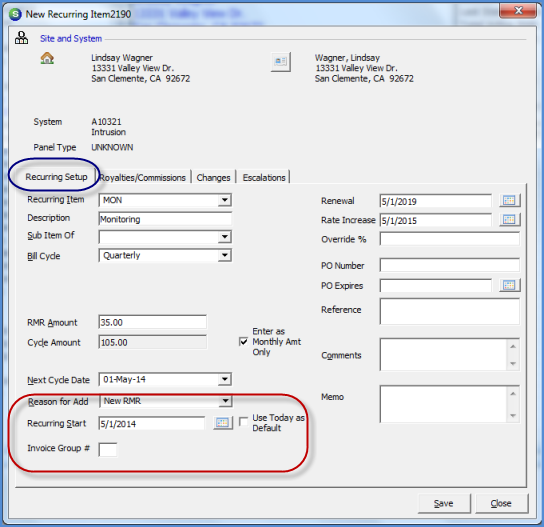
Client Management RMR Management Recurring Line Data Entry Form Definitions
Data Entry Fields for the New Recurring Item form
Reason for Add – Select the RMR reason code from the drop-down list that identifies the reason for the creation of this Recurring Line. This field is required.
RMR Start Date – Enter the date that recurring services will begin billing for this Recurring Line. If it is your company policy to prorate Recurring Lines that start after the beginning of a normal billing cycle, this may be accomplished by entering the actual start date of the Recurring Line in this field and then selecting this same month/year in the Next Cycle Date field. This is a required field.
Invoice Group# – The Invoice Group Number will default to 0 when the recurring line is saved. If you need to separate some recurring lines into various groups to be invoiced at different times, you may create your own groups numbered from 1 to 9. Some customers may only be billed in arrears; creating a group for arrears billed customers is very common.
2765
Previous Page Page 3 of 6 Next Page