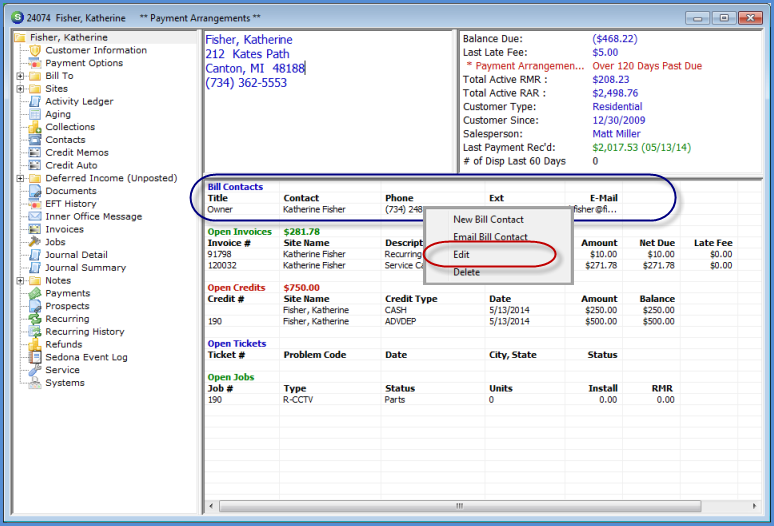
Customer Explorer Active Pane Options Bill Contacts
To make changes to an existing Billing Contact from the Active Pane, highlight a Bill Contact Name, right-click then select the option Edit. The Contact record will open; make the necessary changes then click on the Save button.
If the User does not have the appropriate permissions, this option will not be available.
3506
Previous Page Page 5 of 6 Next Page