.png) Important Note: Deleting a Contact record is permanent - and the User will not receive a confirmation to delete the record - make certain this is what you want to do.
Important Note: Deleting a Contact record is permanent - and the User will not receive a confirmation to delete the record - make certain this is what you want to do.Customer Explorer Active Pane Options Bill Contacts
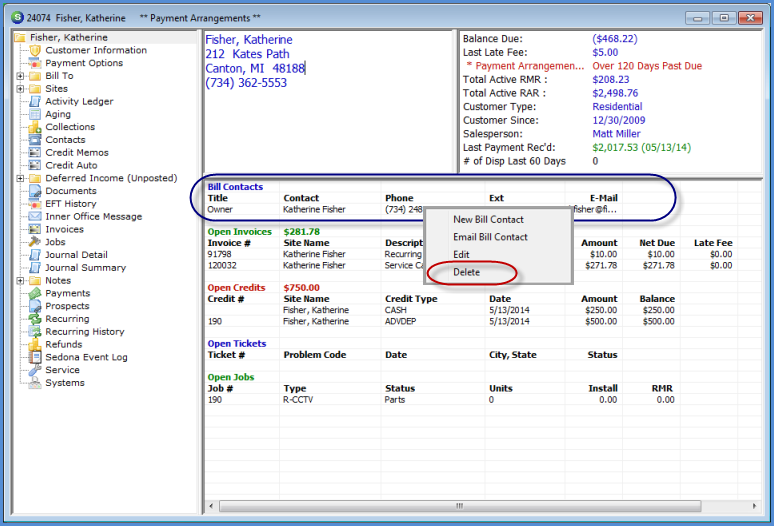
To make delete an existing Billing Contact from the Active Pane, highlight a Bill Contact Name, right-click then select the option Delete.
Important Note: Deleting a Contact record is permanent - and the User will not receive a confirmation to delete the record - make certain this is what you want to do.
If the User does not have the appropriate permissions, this option will not be available.
3507
Previous Page Page 6 of 6