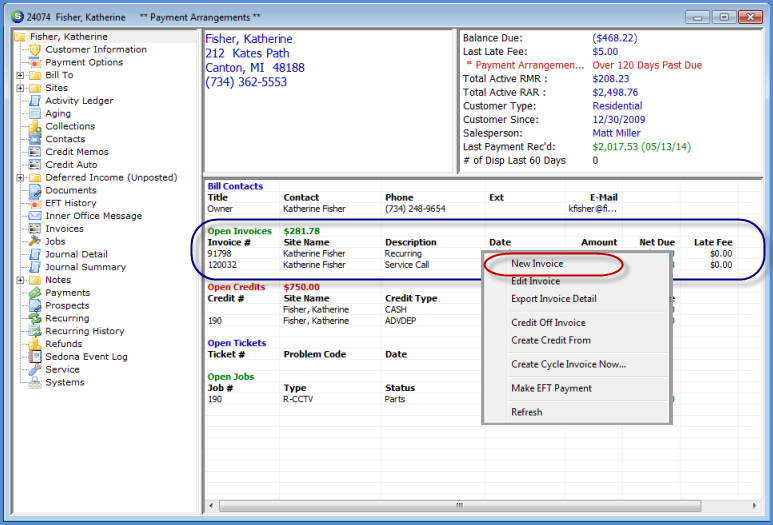
Customer Explorer Active Pane Options Open Invoices
To Create a new Invoice from the Active Pane, highlight an open Invoice, right-click then select the option New Invoice. If the User does not have the appropriate permissions, this option will not be available.
Note: If there are no Open Invoices listed in the Active Pane, no right-click options will be available. New miscellaneous invoices must be created by right-clicking on the Invoices option on the Customer Tree.
3512
Previous Page Page 2 of 9 Next Page